

Computer Setup Guide
Last updated: August 2026
A simple guide to setting up a desktop or laptop, including basic steps, system preparation and initial configuration.
Disclaimer: This content is provided for general informational purposes only. For device-specific setup and instructions, please refer to official documentation or manufacturer guidelines.
Disclosure: This page contains Amazon affiliate links. As an Amazon Associate, we may earn from qualifying purchases at no extra cost to you.
Getting Started with Computer Setup
What should be done before turning on a new computer?
Before powering on a new computer, it is important to place the device in a stable and well-ventilated area. Desktop setups may include connecting the monitor, keyboard, mouse and power cables, while laptops generally require minimal external connections.
A clean workspace and proper cable setup help ensure a smooth start. Once everything is connected, the system can be powered on to begin the setup process.
Choose a desktop for performance or a laptop for flexibility - based on how you plan to use your computer.
Explore Desktop Computer Options → Explore Laptop Computer Options →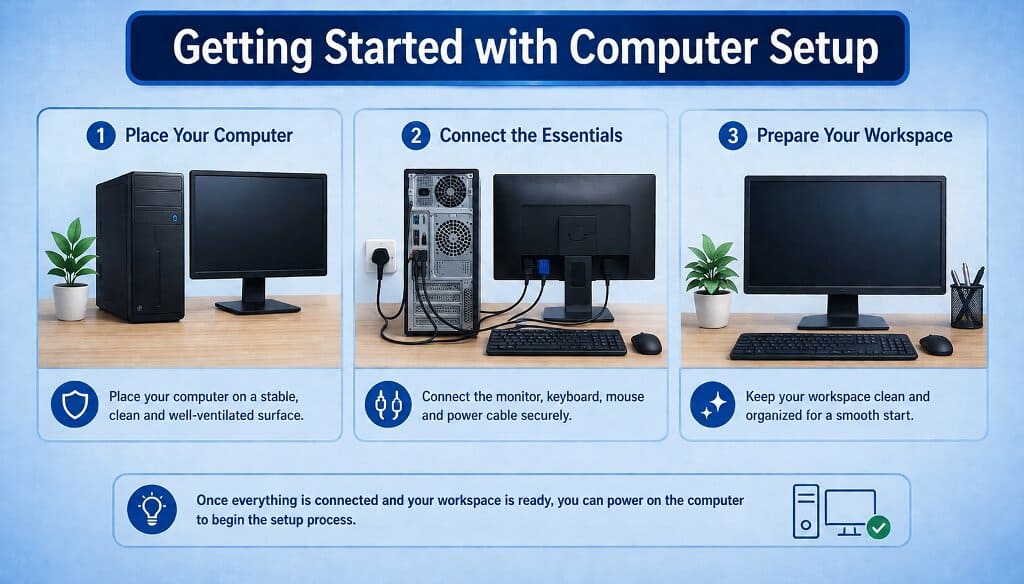
Desktop vs Laptop: Which Should You Choose?
Choosing between a desktop and a laptop depends on how you plan to use your computer. Both offer different advantages in terms of performance, portability and long-term usability.
| Feature | Desktop | Laptop |
|---|---|---|
| Performance | Higher performance and better cooling | Balanced performance for everyday tasks |
| Portability | Fixed location | Portable and easy to carry |
| Upgradability | Easy to upgrade components | Limited upgrade options |
| Space Requirement | Requires dedicated setup space | Compact and space-saving |
| Power Usage | Requires constant power supply | Battery-powered with charging option |
| Best For | Home setups, office work, gaming | Students, travel, flexible usage |
Desktops are ideal for stable setups and high performance, while laptops are better suited for portability and flexible use.
Ready to choose? Explore available options below.
Explore Desktop Options → Explore Laptop Options →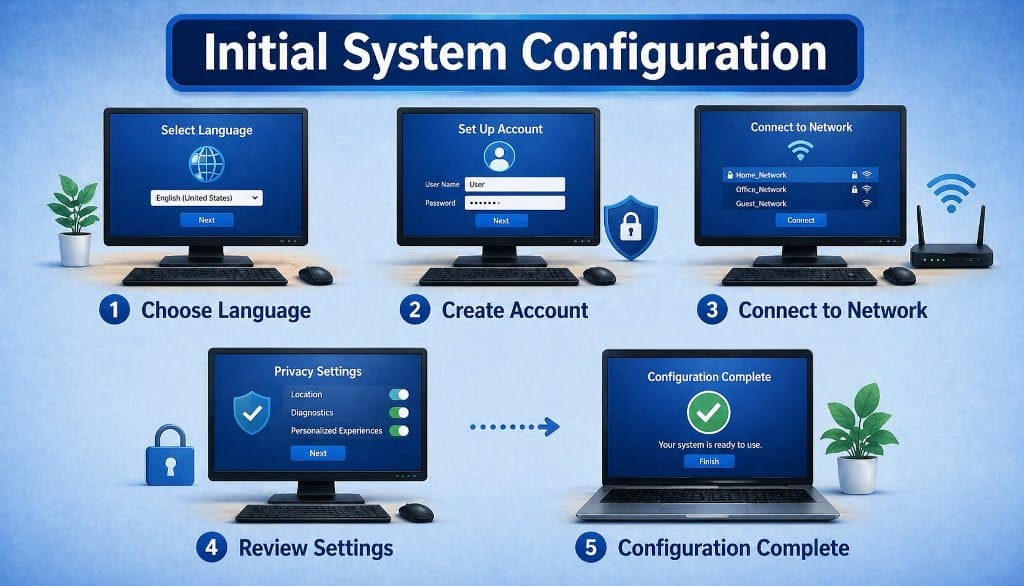
Initial System Configuration
What happens during first-time setup?
When a computer is powered on for the first time, it usually guides the user through an initial setup process. This may include selecting preferences, creating a user account and adjusting basic system settings.
Most operating systems provide step-by-step instructions that help users complete the setup easily. Some systems may also prompt users to connect to a network to enable updates and additional features.
USB accessories can help connect multiple devices and simplify the initial setup process.
Explore Computer USB Accessories →Checking System Readiness
How to confirm the computer is ready to use?
After completing the setup, users can check basic system functionality such as display settings, input devices and system responsiveness. These checks help confirm that the computer is working as expected.
Once everything is functioning properly, the system is ready for everyday tasks such as browsing, document handling and general use.
Power backup and storage devices can help maintain system stability and protect your data during regular use.
Explore Backup & Storage Options →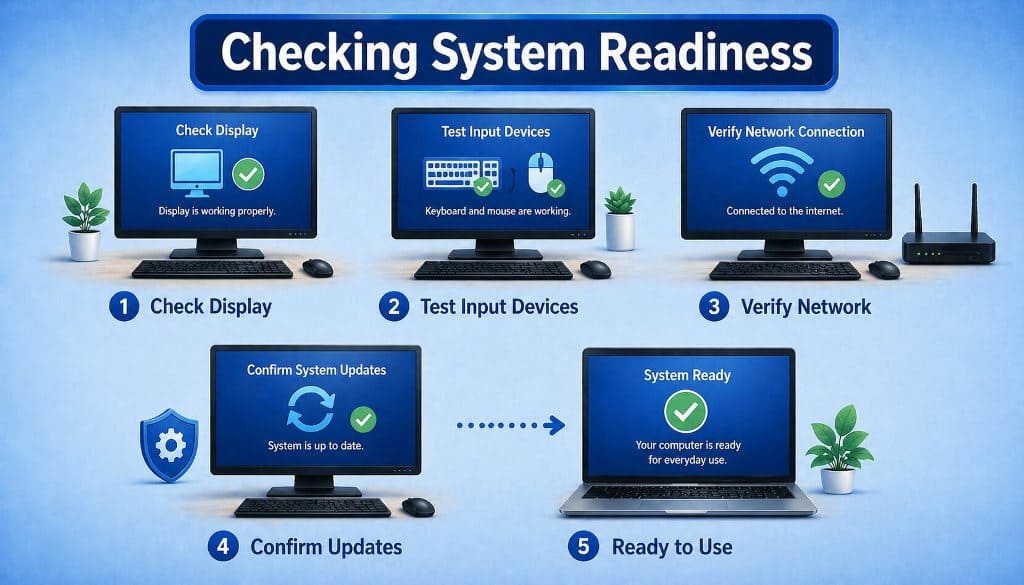
Computer Setup Questions
This information is provided for general educational purposes and does not replace official setup instructions.
What is typically included in a computer setup process?
Computer setup usually involves connecting essential components, powering on the system and completing initial configuration steps.
Do all computers require the same setup steps?
Setup steps may vary depending on the device type and operating system, but general processes are similar across most systems.
Why is initial configuration important?
Initial configuration helps personalize the system and ensures that basic settings are properly applied.
How long does a typical computer setup take?
Setup time can vary depending on the device and configuration, but basic setup is usually completed within a short period.
Is an internet connection required during setup?
Some setup steps may require an internet connection, especially for updates, account setup or accessing online services.
Can a computer be used without completing all setup steps?
Basic functionality may be available, but completing setup ensures the system works correctly and securely.
What should be checked after setup is complete?
Users typically check system performance, connectivity, updates and basic functionality to confirm readiness.